





Introduction
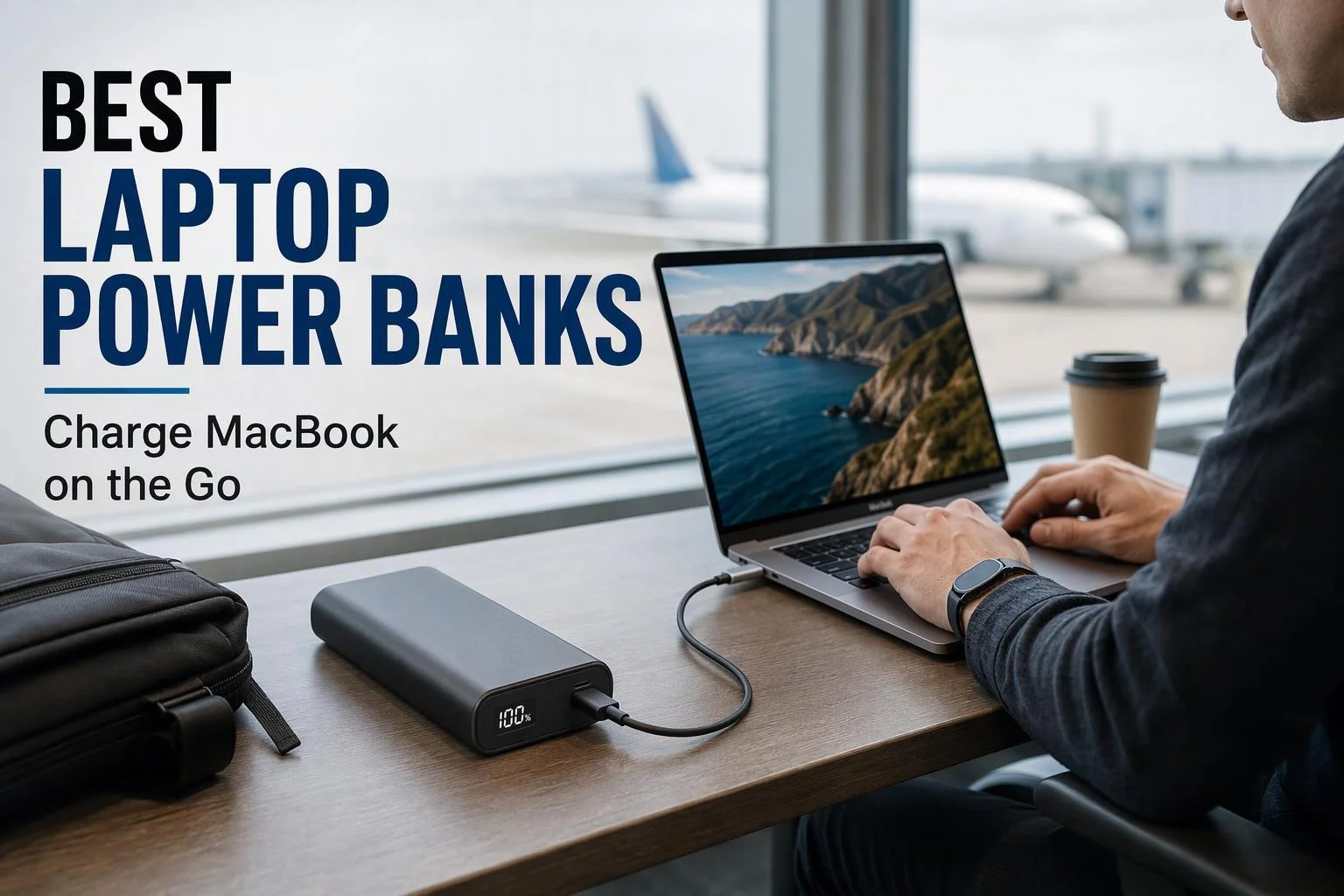
A laptop that dies at 30 percent in an airport lounge is no longer a minor inconvenience. It is a missed deadline, a cancelled call, a lost sale. Remote workers, business travelers, students and field professionals have all pushed the same demand into the market: a portable laptop charger that can genuinely refill a MacBook or a USB-C ultrabook away from a wall socket.
Smartphone power banks vary widely in what they can do. Some carry a 20W or 30W USB-C PD port; others advertise 22.5W over proprietary protocols that a laptop will not recognise; a good number offer USB-C only for charging the pack itself. The detail that separates a laptop-capable pack from a phone-only one is not a single wattage number. It is whether the output port supports USB-C Power Delivery, which voltage and current profiles it advertises during negotiation, and whether the resulting power is high enough for the machine on the other end of the cable. A MacBook Air or MacBook Pro, depending on the model and year, expects a recommended adapter somewhere between 30W and 140W.
Capacity is the second, quieter gap, and it is where units get confused. Milliamp-hours describe charge; watt-hours describe energy, and only energy tells you how much work a pack can do. A 5,000mAh phone pack at a nominal 3.7V cell voltage holds roughly 18Wh, while a 14-inch MacBook Pro battery is already in the 70Wh class. Run a pack that small through a 28V conversion stage and the losses alone consume much of what it has. The laptop would see a shallow charge at best, and it may refuse the connection outright if no acceptable PD profile exists.
A laptop power bank closes that gap. These are high-capacity portable power banks built around USB-C PD output, typically from 45W up to 140W, usually with 10,000mAh to 25,000mAh of cells and multi-port layouts that also serve phones and tablets. They are the category that lets a MacBook, a Windows ultrabook or a USB-C tablet keep working through a long transit day.
This guide is written for buyers who source these products rather than for shoppers comparing shelf labels. It works through what a laptop power bank is, how USB-C PD negotiation and voltage conversion actually deliver energy, and which specifications decide whether a unit performs or disappoints. From there it covers a selection framework by laptop model, practical charging and recharging procedure, the factory tests that separate reliable suppliers from optimistic spec sheets, and the commercial case for wholesalers, distributors and private-label brands. Output wattage, usable battery capacity in Wh, PD compatibility, safety documentation and portability are the five threads that run through all of it.
What Is a Laptop Power Bank and How Does It Work?
The fundamentals matter because most sourcing errors in this category trace back to a misunderstanding of what the product actually does. A laptop power bank is not a bigger phone pack. It is a power-conversion system with a battery inside, and its usefulness depends on how well that system negotiates with the device on the other end of the cable.
What Is a Power Bank for Laptops?
A laptop power bank is a portable battery pack whose output stage is designed to supply the voltage and current a notebook requires over USB-C. The difference from a standard smartphone power bank is not cosmetic. It sits in the output stage, the cell configuration and the firmware that manages them.
Laptop charging demands more power because power is the product of voltage and current. A phone might accept 9V at 2A, about 18W. A 16-inch MacBook Pro with a 140W adapter, by comparison, can draw up to 28V at 5A through an EPR-capable connection. To deliver that, the pack must convert its internal cell voltage — typically around 3.6V to 3.7V per lithium-ion cell, or a higher stack voltage when cells are wired in series — up to the negotiated output level, and its cells, wiring and thermal design must survive the resulting current. A low-wattage phone pack has neither the cell configuration nor the conversion hardware to do this.
USB-C Power Delivery is the technology that makes the category possible. The USB Power Delivery specification lets a device request the power it needs and lets the source respond accordingly, with power able to flow in either direction. The PD 3.1 release split the port’s capability into two ranges, and the distinction matters enormously to buyers:
Standard Power Range (SPR) covers the original fixed voltages of 5V, 9V, 15V and 20V at up to 5A, capped at 100W.
Extended Power Range (EPR) adds three higher fixed voltages: 28V at up to 5A for 140W, 36V at up to 5A for 180W and 48V at up to 5A for 240W.
These EPR levels are fixed power data objects (PDOs), the same kind of contract SPR uses: the sink selects 28V, 36V or 48V as an exact voltage, not an arbitrary value. PD 3.1 also introduces Adjustable Voltage Supply (AVS), a separate and optional EPR mechanism that lets a device request a specific voltage in fine increments within a range, with the current limit set by the advertised power rather than a single fixed rating. AVS exists to trim conversion losses; it is not how all EPR charging works, and a laptop that fast-charges at 140W is typically using the fixed 28V contract. A laptop power bank is, in practical terms, a PD source with enough stored energy and enough conversion headroom to serve a notebook.
How Does a Laptop Power Bank Work?
The energy path runs through five stages. Lithium-ion cells store energy at their native voltage. A power management circuit monitors cell voltage, temperature and current. A DC-DC conversion stage steps the cell voltage up to the level the laptop has requested. The USB-C PD output port presents that power with the correct protocol signalling. The laptop’s own charging circuit then regulates what reaches its battery.
Negotiation is the part buyers underestimate. When a cable connects the pack to a laptop, the two devices exchange PD messages over the configuration channel. The pack advertises the voltage and current combinations it can supply; the laptop requests one it can accept. The USB PD 3.1 specification defines how those higher power levels are handled. Entering EPR requires an explicit cable and device handshake before any voltage above 20V is offered, which is why a 140W charge needs three compatible things at once — an EPR-capable source, a cable rated and electronically marked for the power level, and a receiving device that accepts 28V. If no mutually acceptable profile exists, the laptop may charge slowly, trickle, or not charge at all.
Protection circuitry sits around this process. Overcurrent protection limits current if a device or cable misbehaves. Overvoltage protection prevents the conversion stage from exceeding the negotiated level. Overtemperature protection throttles or shuts down output when the cells or the conversion stage get too hot. Short-circuit protection isolates a fault at the port. These are not marketing features; they are the mechanisms that keep a high-energy product safe in a bag, on a tray table or in a warehouse.
What Specifications Matter in a Laptop Power Bank?
Specification sheets in this category are long and unevenly informative. Three figures decide most of the outcome: the PD output wattage, the energy capacity expressed in watt-hours, and the port and cable configuration that determines how that power is actually delivered.
USB-C PD Output Wattage: 45W, 65W, 100W, or 140W?
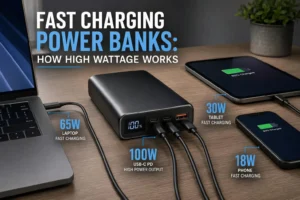
Output wattage sets the ceiling on how fast a laptop can charge. It does not set the floor, and it does not force consumption. A laptop draws only what its own charging circuit requests, so a 140W pack connected to a 30W MacBook Air will deliver roughly 30W, not 140W. Higher headroom simply means the pack can serve more demanding machines.
The tiers map to device classes, with caveats. 45W covers tablets and lightweight laptops and is often enough to hold a charge during light use. 65W is the practical sweet spot for many Windows ultrabooks and will charge most MacBook Air models steadily, though it is not Apple’s listed fast-charge wattage for every configuration. 100W serves higher-draw laptops and is the ceiling of SPR at 20V/5A. 140W requires EPR: a 28V fixed contract at up to 5A, which only an EPR-capable source, cable and device can agree on.
Actual charging speed depends on more than the pack. The laptop’s own requirements, its battery state of charge, the workload it is running, the cable’s power rating and the negotiated PD profile all interact. A pack rated at 100W paired with a 60W cable will not deliver 100W. Buyers should read the wattage claim together with the port and cable specifications, not in isolation.
What Wattage Does Each MacBook Need?
The table below translates Apple’s published adapter guidance into power bank terms, and it separates three things buyers routinely merge: whether a pack can charge the machine at all, whether it can hold the machine’s charge while it is working, and whether Apple lists that wattage for fast charging. Apple’s own fast-charge guidance notes that a MacBook Air from 2022 or later and 14-inch or 16-inch MacBook Pro models from 2021 or later can reach 50 percent battery in around 30 minutes, but only in the adapter and cable combinations Apple specifies — and for the 16-inch models those combinations include 140W.
MacBook family | Apple’s recommended adapters | Basic charging and holding charge | Apple-listed fast charging |
|---|---|---|---|
MacBook Air, 2022 or later | 30W, 35W dual-port, 67W or 70W depending on configuration | A 30W PD source will charge it; a 45W or 65W pack charges it faster and can hold charge under light load | Apple lists 67W or higher, depending on configuration, with a compatible cable |
14-inch MacBook Pro, 2021 or later | 67W, 70W or 96W depending on configuration | 65W will charge it, but more slowly than the bundled adapter and may not hold pace under heavy load; 100W covers most configurations well | Apple lists the 96W adapter, plus the 140W adapter on some configurations, with a compatible cable |
16-inch MacBook Pro, 2021 or later | 140W | 100W charges the machine and can maintain it in light use, but sits below the adapter’s maximum | 140W fast charging requires Apple’s 140W adapter plus the right cable: on models from 2021 and 2022 that means a MagSafe 3 cable, while Apple also lists a 240W USB-C charge cable as an option for models introduced in November 2023 or later |
Older MacBook models | 30W to 87W depending on generation | Match the original adapter where possible | Varies; verify against the specific model |
Treat the table as a selection guideline, not a guarantee. Apple states that a USB-C Mac can charge from an adapter above or below the recommended wattage; lower wattage generally means slower charging, and under heavy load a weak source may not keep up with consumption at all. A 65W pack charges many MacBook Air models and holds them at a working charge, but it does not deliver Apple’s listed fast charging for every configuration. A 140W pack does not automatically push 140W into every Mac — it delivers whatever the Mac negotiates. For a 16-inch model that may mean Apple’s full adapter level, but only on the combinations Apple specifies; for an Air it is far lower. Two limits sit on top of that. First, a 240W E-marked USB-C cable proves the cable can carry the current; it does not by itself trigger a 140W fast-charge handshake on every 16-inch MacBook Pro. Second, a power bank rated at 140W on its USB-C output — JOYROOM’s PR70 included — proves only that the pack can supply 140W. Whether Apple’s 140W fast charging actually happens depends on the specific MacBook generation, the cable Apple lists for it, and the negotiation that follows.
Battery Capacity: Is 20,000mAh Enough for a MacBook?
Milliamp-hours describe charge; watt-hours describe energy. The distinction matters because mAh alone says nothing without the voltage it was measured at. The conversion is:
Wh = mAh × battery voltage ÷ 1,000
A 20,000mAh pack at a nominal 3.7V therefore holds approximately 74Wh. The same 20,000mAh figure at a nominal 3.6V gives 72Wh. That is why Battery University notes that a 3.70V/cell rating rather than the classic 3.60V boosts watt-hours on paper — a detail worth checking when comparing suppliers.
Work through a real product and the gap between nominal and usable becomes visible. JOYROOM’s PODIX PR70 lists 25,000mAh and 90Wh, and the manufacturer’s manual gives the pack a 5-cell series configuration at 18.0V, which is how 25,000mAh resolves to 90Wh. The rated output capacity is stated separately at 14,500mAh at 5V, a lower figure that already accounts for conversion. That is the honest way to publish a spec sheet, and it is the reason a range of results is normal rather than suspicious.
Nominal capacity is not usable energy. Conversion from cell voltage to the PD output voltage, regulation losses, cable resistance and the laptop’s own charging efficiency all take a share, and the share grows with the gap between cell voltage and output voltage, with current, and with ambient temperature. Because no single efficiency figure holds across products and conditions, a supplier that promises a fixed number of full MacBook charges is guessing. Plan with a conservative assumption and confirm it on a sample.
The capacity tiers behave differently in the field. 10,000mAh at a nominal 3.7V is around 37Wh, which is pocketable and suited to topping up a phone or giving a thin laptop a short working extension, but it will not refill a MacBook Pro. 20,000mAh at 3.7V is around 74Wh, the workhorse tier: cabin-friendly in most cases and enough for a substantial partial charge on a 13-inch or 14-inch machine. A 25,000mAh pack rated at 90Wh maximizes runtime and still sits under the 100Wh threshold most carriers use, at the cost of roughly 620g or more. Note that a 27,000mAh pack at 3.7V would calculate to about 100Wh, and carriers care about the printed rating rather than the arithmetic, so verify the label before shipping or selling into travel-focused channels.
USB-C Ports, Charging Protocols, and Cable Compatibility
A USB-C connector is a shape, not a capability. Plenty of power banks carry USB-C ports that output 18W or 22.5W and cannot serve a laptop. The specification to look for is explicit USB-C PD output at the wattage the target laptop needs, with the supported PD profiles listed.
Port configuration shapes the use case. Single-port packs are simpler and often cheaper, and they dedicate the full output to one device. Multi-port packs serve a laptop, phone and earbuds together, which is what most travelers actually want. The catch is power redistribution: when several devices connect, the pack allocates its total output across ports, and the laptop port may drop from its solo rating to a lower share. Buyers should check the total output figure and the published multi-port allocation table, not just the headline per-port maximum.
Cables are a frequent point of failure, and the labelling rules are widely misquoted. USB-IF logo and power marking requirements apply to cables submitted to the USB-IF compliance program, not automatically to every cable sold. Within that program the ratings are simple: a USB-C to USB-C cable is marked as either 60W or 240W capable, and there is no 100W category. A 3A cable tops out at 60W at 20V; 5A cables are what allow 100W at 20V, and 5A cables carry an electronic marker identifying their current rating. EPR goes a step further: above 20V the cable must also support the higher voltage and be recognised by both devices as EPR-capable during negotiation, which is why a 240W marking and a working EPR handshake are not the same thing. Not every standard-power cable needs an E-marker, but every cable used above 3A does.
The practical consequence for buyers is straightforward. A pack rated at 140W bundled with a cable that cannot carry the current is a slower product in the customer’s hands, and the resulting review will blame the battery, not the cable. For EPR output specifically, the source, the cable and the receiving device all have to agree before 28V is offered at all. Buyers specifying OEM bundles should confirm the included cable’s rating matches the pack’s rated output, and check the marker in the bundled cable rather than assuming it. JOYROOM, for instance, publishes the cable ratings inside the PR70 — a retractable USB-C cable at up to 140W and a shorter carry-strap USB-C cable at up to 100W — and that is the level of detail a bundle spec should capture.
How to Choose the Best Laptop Power Bank for Your Device
Selection starts from the laptop, not from the pack. The right unit is the one whose output, capacity and port layout match the devices a buyer’s customers actually carry, at a weight and price those customers will accept.
Check Your Laptop’s Charging Requirements
The fastest way to establish a laptop’s requirement is to read its original adapter. The wattage is printed on the adapter label, and on a Mac, System Information → Power → AC Charger Information identifies the connected charger and the wattage it is rated for, which tells you what the machine was designed around.
Apple’s adapter guidance breaks the range down by model, and the differences matter more than the headline number. MacBook Air models from 2022 onward ship with 30W, 35W dual-port, 67W or 70W adapters depending on configuration. The 14-inch MacBook Pro from 2021 onward comes with 67W, 70W or 96W. The 16-inch MacBook Pro from 2021 onward comes with 140W. Older generations sit elsewhere again: 13-inch and 15-inch MacBook Pro models from 2016 onward use 61W and 87W adapters, and pre-2018 MacBook Air models used 45W MagSafe adapters. Treat “MacBook” as a family, not a specification.
Compare 45W, 65W, 100W and 140W Configurations
The practical rule is to match the pack’s PD output to the laptop’s recommended adapter wattage, or come close. The table below turns that rule into a specification brief that works for both a shopper and a category buyer building a range.
Output tier | Laptop categories | Typical scenarios | Main limitation | Cable and protocol requirement |
|---|---|---|---|---|
45W | Tablets, thin laptops, MacBook Air on light duty | Commuting, classroom, holding a charge during a meeting | Cannot keep pace with a heavy-load MacBook Pro | USB-C PD at 15V or 20V; 3A cable sufficient |
65W | Most Windows ultrabooks, MacBook Air 2022+, some 14-inch MacBook Pro configurations | Day trips, remote work, travel backup | Charges but does not reach Apple’s listed fast-charge wattage on many configurations; slower on high-draw 14-inch configs | USB-C PD at 20V; 3A cable is enough at 60W, 5A E-marked cable for any 65W contract above 3A ratings |
100W | Higher-draw 14-inch laptops, many 16-inch MacBook Pro configurations | Full working day, field work, two-device charging | Does not reach a 16-inch MacBook Pro’s 140W fast-charge level; below Apple’s 96W and 140W fast-charge combinations on some 14-inch and 16-inch configs | USB-C PD at 20V/5A; 5A E-marked cable required |
140W | 16-inch MacBook Pro 2021+, USB PD 3.1 EPR laptops | Video production, engineering field kits, long-haul travel | Needs a compatible EPR sink and cable; wasted headroom on low-draw machines; not a guarantee of Apple’s fast charging | EPR with a 28V fixed PDO; for 16-inch MacBook Pro models, Apple lists a MagSafe 3 cable (2021–2022) or a 240W USB-C charge cable (November 2023+) |
These are general selection guidelines, not guarantees of performance on any specific model, and fast-charging behaviour on a MacBook should be checked against Apple’s guidance for that exact model and cable. For wholesale buyers, the table doubles as an assortment tool: a 65W and a 100W line usually cover a national retail channel, while a 140W unit belongs in premium and professional channels where the customer already owns an EPR-capable machine.
Balance Capacity, Weight, and Portability
Capacity and weight move together. A 10,000mAh pack typically sits around 200g and slips into a jacket pocket. A 20,000mAh unit generally lands in the 340g to 450g range. A 25,000mAh pack with built-in cables and dual displays reaches roughly 620g — JOYROOM’s PR70 is specified at 622g — and a 27,000mAh unit can go higher. Each step up buys runtime and costs carrying comfort.
The use case should decide the trade-off. Commuters and students benefit from a compact 10,000mAh unit that covers a phone and a short laptop top-up. Business travelers and digital nomads usually want 20,000mAh, which balances a meaningful laptop charge against a bag that stays manageable. Outdoor workers, field engineers and emergency-backup buyers are better served by 25,000mAh and above, where runtime outweighs weight. Retail assortments often need two or three tiers rather than one, because a single SKU cannot serve all four profiles without compromise.
Capacity tiers cut across the airline decision. A 20,000mAh pack at a nominal 3.7V comes to about 74Wh. A 25,000mAh pack rated at 90Wh, like the PR70, sits inside the 100Wh cabin limit that IATA’s 2026 guidance applies to power banks. A 27,000mAh pack at 3.7V lands at roughly 100Wh, right at that boundary, which is exactly where documentation gets checked. Pack design matters as much as cell count, because the printed Wh rating reflects the actual cell configuration rather than the mAh alone. Always confirm the printed Wh rating before listing a product for travel use.
Consider Charging Multiple Devices
Multi-device charging is now the default expectation. A traveler with a laptop, a phone and wireless earbuds wants one pack and one cable set, not three bricks. Multi-port packs deliver that, but the allocation logic decides whether the experience holds up.
The number to check is total output, and the number to check it against is the maximum of a single port. They are not the same figure. JOYROOM’s PR70 illustrates the point cleanly: 140W maximum on one USB-C output, 100W on the second USB-C output, 36W on USB-A, and 240W maximum combined when the ports are used in the configuration the specification allows. The 240W is the sum available across ports; it does not mean every port can run at its peak at the same time.
Reputable suppliers publish a multi-port allocation table showing what each port delivers in each combination, and the table is the only reliable way to know what a customer will experience. Ask for it in writing, then test two or three combinations on a sample with a laptop and a phone attached. Allocation behaviour is a common source of end-user complaints and returns because the headline wattage implies a single-device scenario that most travelers rarely use.
Peak output and sustained output are different again. A pack may deliver its rated wattage at the start of a charge and step down as the cells heat or as the laptop’s own taper kicks in. For procurement, the question to ask a supplier is not only “what is the maximum?” but “for how long, at what ambient temperature, and what happens after that?”
Confirm the Wh Rating and Airline Rules
Travel is the use case that sells laptop power banks, and it is also the one with the clearest regulations. The number that governs carriage is the watt-hour figure printed on the pack. Where a unit lists only mAh, divide by 1,000 and multiply by the nominal voltage to estimate — but the printed rating is what a check-in agent reads. IATA also treats power banks as their own category rather than as ordinary spare lithium batteries, so the higher allowance that applies to spare cells does not carry over.
Under IATA’s passenger guidance for lithium batteries, power banks are regulated separately from spare lithium batteries, and the 2026 operator guidance tightened the rules considerably. Passengers may carry a maximum of two power banks, each rated at no more than 100Wh. Power banks must travel in cabin baggage and are not permitted in checked baggage; if a cabin bag is gate-checked, the pack comes out and stays with the passenger. Under that same 2026 guidance, power banks above 100Wh and up to 160Wh are not permitted for passengers at all, so the older “carry them with airline approval” advice no longer applies to power banks. Anything above 160Wh must move as cargo.
The 2026 guidance also covers behaviour in the cabin. Power banks should not be stored in overhead lockers, where a fault would be out of sight and hard to reach; keep them with you in the seat area. Passengers must not recharge power banks from the aircraft’s power outlets, and they should not use a power bank to charge other devices during taxi, take-off or landing. Terminals should be protected against short circuit in packaging. Individual airlines may impose stricter rules than the IATA baseline, so travelers should check the operating carrier before flying, and no power bank should be described as universally airline-approved.
Match the Documentation to the SKU
Protection circuits are only as good as the documentation behind them. Ask for the specific report covering overcharge, overcurrent, overvoltage, short-circuit and temperature cutoff for the exact SKU you are buying, not a sibling model.
Certification is where buyers most often blend unrelated documents into one reassuring story. Each has a distinct purpose and scope:
UN38.3 is a transport test regime for lithium batteries. It covers altitude simulation, thermal cycling, vibration, shock, external short circuit, impact, overcharge and forced discharge so a battery can be shipped under dangerous-goods rules. It is not a consumer product safety certification.
CE marking is the manufacturer’s declaration that a product meets the applicable EU directives. Which directives apply depends on the product and its electrical characteristics — EMC and RoHS are the common ones for a power bank, while the Low Voltage Directive covers a particular voltage range and is not automatically the governing directive for every power bank.
FCC authorisation applies to products marketed in the United States, and the applicable route depends on whether the product contains a radio or only digital circuitry. Its focus is radio-frequency emissions, not battery safety.
UL 2056 is a safety standard specifically written for power banks. Certification to it is voluntary in the US market, though retailers and marketplaces frequently require it.
Requirements vary by destination market, by product configuration and by the channel selling the product, so there is no universal list. Ask for the certificate that names your SKU, check the model number on the report against the quotation, and confirm the scope covers the variant you are importing.
How to Use and Charge a Laptop Power Bank
The operating routine for a laptop power bank is short: match the cable and port to the negotiated PD profile, watch the laptop’s own charging indicator rather than the power bank’s marketing label, and recharge the pack on a compatible USB-C input. Most field failures trace back to one of three causes — an underpowered wall charger, a cable that cannot carry the requested current, or heat. The three subsections below cover each step and the mistakes that most often undo them.
How to Use a Power Bank to Charge a MacBook
Start by identifying what the machine actually wants. The original adapter’s label is the fastest source. On a Mac, System Information → Power → AC Charger Information identifies the connected charger and the wattage it is rated for — a useful cross-check on the adapter’s own label, though it reports the charger’s rating rather than a live measurement of what is flowing into the battery at that moment.
Connect a USB-C to USB-C cable rated for the power you expect, plug into the pack’s PD output, and check the same panel again: it should tell you which charger the Mac now sees and at what rating. If you need to know the actual negotiated voltage, current and wattage rather than the rated figure, use a compatible USB-C PD power meter or analyzer in line with the cable. That is the only way to see what the pack and the Mac genuinely agreed on, and it is what a buyer should use when verifying a sample against a specification sheet. Apple notes that a USB-C Mac can charge from any USB-C adapter or display supporting USB PD, even one rated above or below the recommendation.
If the power delivered is lower than expected, work through the causes in order. A second device on the pack may be pulling its share, so try the laptop alone. The cable may be rated below the PD contract being negotiated, which caps the charge regardless of the pack. The pack may be at a low state of charge or warm from earlier use. And the Mac’s own battery management, optimised charging settings, or thermal state can reduce intake on its own.
That last point applies to the macOS “Battery Is Not Charging” message too. It does not automatically mean the source is underpowered. macOS can display it when the battery is at a management threshold, when the machine is hot, or when the system is pacing a charge for battery health. Confirm the negotiated figures with a power meter first, then reduce the connected load, then try a second cable before concluding that the pack is at fault.
How to Charge a Power Bank
Recharge through the manufacturer’s designated USB-C input port with a wall charger that meets or exceeds the pack’s maximum input rating. Output matters as much as the port: a 100W-capable pack on an 18W phone charger will take hours longer than the same pack on a 100W wall adapter.
An idealized calculation — nominal watt-hours divided by input wattage — gives a floor, not a schedule. A 74Wh pack on 65W input works out to about 68 minutes on paper; a 90Wh pack on 100W works out to about 54 minutes. Real recharging takes longer. JOYROOM specifies roughly two hours for a full PR70 recharge on a 100W charger, which is a realistic figure for a 90Wh pack once conversion losses, thermal management and the constant-voltage taper are counted. Charging management reduces current near full charge and in high ambient temperatures, so a pack that slows above 80 percent is behaving as designed.
Common Charging Mistakes to Avoid
Four errors account for most returns. Using an underpowered wall charger leaves the pack trickling for hours and invites overheating. A cable rated below the negotiated current — a 60W-rated cable on a 100W port, for instance — caps the charge and can heat at the connectors. Assuming every USB-C power bank supports laptop charging ignores that some ports deliver only phone-level PD or are input-only. And charging or discharging in direct sun, a parked car, or an unventilated bag pushes cells past their thermal comfort zone, which accelerates capacity loss and, in the worst case, triggers the protection cutoff mid-task.
There is a fifth, quieter mistake that affects multi-port packs: leaving a phone, watch and earbuds connected while expecting the laptop to keep its solo charging rate. Allocation has already given the laptop less headroom than its label suggests, and the owner reads the slower charge as a faulty product.
What Quality Tests Should a Reliable Laptop Power Bank Pass?
Test reports are the part of a supplier relationship that buyers only appreciate after a claim arrives. The four areas below are the ones that most directly predict field reliability for a high-wattage laptop pack, and each should come with a documented procedure — not a certificate of “strict inspection.” Where a supplier cannot produce results, ask for the test method and the acceptance criteria instead; a stated procedure you can audit is worth more than an unverifiable pass mark.
The parameters below describe standard industry test procedures. They are the questions to ask; they are not a claim about any particular factory’s results, and a supplier should be able to name the figures it used for the SKU you are ordering.
Battery Performance and Cycle-Life Testing
Capacity verification discharges a sample at a defined constant load and records delivered watt-hours against the rated figure. The parameters that make a report comparable are the discharge current, the cutoff voltage at which the test stops, the ambient temperature, and the number of samples. Cycle-life testing repeats charge and discharge to a stated depth and measures retained capacity at intervals; the report should name the cycle count, the charge and discharge rates, and capacity retention at each checkpoint. A headline “80 percent after 500 cycles” without those parameters cannot be compared across suppliers. Before ordering, also compare the pack’s rated cell capacity with its separately stated rated output capacity at 5V, as the PR70’s published figures of 25,000mAh and 14,500mAh at 5V show. The second number is the one a discharge test at 5V should reproduce.
Temperature Rise and Electrical Safety Testing
Temperature monitoring during sustained high-power PD output shows how a pack behaves when a laptop draws near maximum for an extended period, not just in the first minute. The procedure records ambient temperature, output wattage and load condition, test duration, and temperatures at specified surface and internal measurement points. It should also verify that overcurrent, overvoltage, short-circuit and overtemperature protection trip at their stated thresholds — and what happens to output when they do. Thermal headroom matters most in compact high-wattage designs, where the same heat leaves through less surface area.
USB-C Port Durability and Drop Testing
Connector durability testing cycles a plug in and out of each USB-C port a defined number of times, then checks mechanical wear, contact resistance drift, insertion retention and whether charging still works. Drop testing specifies the drop height, the impact orientations — corner, edge, face — and the test surface, then inspects housing integrity, port displacement and post-test function, including a full charge and discharge cycle on the dropped unit. Without those parameters, a “passed drop test” claim tells a buyer little about shipping and retail-handling risk.
OEM Packaging and Shipment Quality Control
For private-label buyers, packaging colour consistency is a brand asset. Printing on coated board shifts between production runs as ink batches and press conditions change, so approved colour samples should be retained and compared against mass production under a defined light source, with a stated colour-difference tolerance where one exists. Beyond print, inspection covers protective inserts, packaging drop testing and moisture-resistant wrapping.
Sea freight adds a humidity dimension that air freight hides. Long ocean transit exposes cartons to temperature swings and condensing humidity that warp board, fog printed surfaces and soften adhesive. Moisture-barrier bags, desiccants and outer carton protection belong in the specification — particularly for routes through tropical ports and for warehouse storage in humid climates.
Why Laptop Power Banks Are a Growing Opportunity for Wholesalers and Distributors
The commercial case rests on a structural shift rather than a seasonal trend: laptops increasingly charge over USB-C, which means the same port that fills a phone can now fill a MacBook. For distributors already carrying charging accessories, a laptop power bank extends the average basket value and gives retail partners a reason to trade customers up from phone-only packs. The sections below look at who is buying, how the category segments by output and capacity, and what to verify before committing inventory.
Growing Demand Across Multiple Customer Segments
Four buyer groups drive volume. Remote workers and digital nomads treat a charged laptop as a work prerequisite and will pay for a pack that covers a full working day away from mains power. Business travelers and corporate users buy on reliability and airline compliance, often through employer procurement. Students and mobile professionals are price-sensitive but upgrade frequently, making them a good fit for 65W mid-capacity models. Retailers serving MacBook and USB-C laptop owners benefit from adjacency: a customer buying a sleeve or dock is a natural candidate for a laptop power bank, and staff who can explain wattage convert that interest into a sale.
Product Differentiation in the Laptop Power Bank Market
Output tier is the clearest axis. A 65W line covers most ultrabooks and anchors an entry-to-mid price band; 100W models serve higher-draw laptops and justify a step up; 140W units target buyers of USB PD 3.1 EPR-capable machines and sit at the top of the range. Capacity and port count then separate products within a tier — a 20,000mAh three-port pack competes on portability, while a 25,000mAh four-device unit with dual displays competes on capability. Displays, built-in cables and compact housings are the visible differentiators that let a retailer tell two similarly specified packs apart on shelf.
What Buyers Should Evaluate Before Placing Bulk Orders
Start with sample verification against the specification sheet, not the marketing page. The checks below are the ones that most reliably predict whether a container will sell through or come back:
Read the actual PD output profiles advertised on each port, and confirm them with a real laptop of the target model rather than a tester that only reports watts.
Measure capacity under a defined discharge load — stated current, cutoff voltage, ambient temperature — and compare with the rated figure.
Request the mass-production specification document and confirm the sample matches it, not an earlier engineering build.
Verify cell and controller consistency: brand, model, and configuration across the sample and the production lot.
Obtain UN38.3 test documentation and the market certifications your destination requires, each naming your SKU.
Test multi-port power allocation across two or three realistic combinations and compare with the supplier’s allocation table.
Check the rating and E-marker of every cable in the bundle against the pack’s rated output.
Review packaging samples before mass production, including print colour and structural inserts.
Confirm OEM logo printing method, placement and colour consistency expectations in writing.
Put MOQ, price tiers, lead time and after-sales terms into the quotation rather than a verbal agreement.
Assess export packaging and shipping protection for the specific route and season.
Each check maps to a cost. A capacity test that catches an overstated rating prevents a wave of “it dies too fast” returns. A cable rating check prevents the most common negative review in this category. A SKU-named certificate prevents a customs hold that no margin can absorb. An allocation test prevents the multi-port complaints that a spec sheet cannot answer. Where a supplier cannot document a figure, treat it as unconfirmed rather than assume, and put the assumption in writing before the deposit.
Why Work with JOYROOM for Portable Charging Solutions?
JOYROOM has been developing charging and digital accessories since 2009, and power banks sit alongside chargers, cables, audio, mounts and smart wearables in a portfolio built for retail and distribution channels rather than a single product line. That breadth matters to a distributor assembling a category: one supplier relationship can cover the charging shelf, and the brand’s stated focus on practical, reliable design gives retail partners a story to tell beyond price.
On the portable charging side, JOYROOM’s published range spans compact 10,000mAh and 20,000mAh models with built-in cables alongside higher-power units. The JOYROOM power bank range for B2B portfolios sets out the category positioning for buyers new to the line and is the correct starting point when comparing output tiers. For any SKU you intend to quote, use the current product page and manual as the specification source rather than a distributor listing or an older catalogue, and ask for the output profile per port in writing.
The laptop-tier product worth examining in detail is the PODIX PR70, because its published specifications address the questions this guide raises. It carries a 25,000mAh battery rated at 90Wh in a 5-cell series configuration, with 140W maximum output on the retractable USB-C cable, 100W on the shorter carry-strap USB-C cable, 36W on USB-A, and 240W maximum combined across ports in the supported configurations. Input is up to 100W, with a full recharge of approximately two hours on a matching charger, and net weight is 622g. The dual displays report battery level, output power, temperature and remaining charge time. Two built-in cables rather than one is a genuine convenience for travel, though buyers should note the cables are not identical in rating. That 140W figure describes what the pack can deliver over its EPR-capable output; it does not by itself guarantee Apple’s 140W fast charging on a 16-inch MacBook Pro, which depends on the MacBook generation and the cable Apple lists for it.
Two points belong in a procurement conversation rather than a brochure. First, certification scope: the relevant certificates for any SKU depend on the destination market, and each document should be checked against the model number on your quotation rather than assumed from the product family. Second, test scope: JOYROOM’s published materials describe a multi-protection safety system with temperature monitoring across its power banks and chargers. Whether a given SKU has been subjected to every test procedure described in the quality testing section is a question for the documentation package, not an assumption.
Customization is handled case by case. JOYROOM supports OEM logo printing and packaging customization, and the practical starting point is a specification conversation: which SKU, which output tier, which plug standards, which packaging format and which destination market. MOQ, price tiers, lead times and certification scope depend on those answers, so they are quoted rather than published as blanket figures — a distributor should expect a written quotation that names the SKU, the certification documents supplied with it and the packaging approval process.
A buyer starting a conversation with JOYROOM should bring four things: the laptop models or output tier the range must serve, the destination markets and their documentation requirements, the packaging format and branding intent, and an expected first-order volume. Ask in return for a sample, the SKU-level specification sheet, the certification documents for that SKU, the multi-port allocation table and a written quotation covering MOQ, lead time and after-sales terms. Comparing the sample against that paperwork is the fastest way to judge whether a supplier relationship will hold up at volume.
Conclusion
A laptop power bank is a power supply, and it should be specified like one. The output wattage has to match what the target laptop actually negotiates, the usable energy has to be read in Wh rather than mAh, the PD profile and cable rating have to line up with the wattage claimed, and the safety documentation has to name the SKU and the market where the product will be sold. Get those four right and the number on the box becomes a detail rather than the whole argument.
For wholesalers, distributors and brand owners, the same logic extends into procurement. A sample that matches its specification sheet, a certification file that names the SKU, a QC process you have seen described in test terms rather than adjectives, and an OEM partner who will put MOQ, lead time and packaging approval in writing — these are what protect margin and after-sales cost once the container lands. Laptop power banks reward that discipline because the buyer is technical, the use case is demanding and the failure modes are visible.
If you are building or refreshing a laptop charging range, contact the JOYROOM team with your target output tiers, capacities and destination markets to request samples, specification sheets and the documentation package for the SKUs you are considering.
Frequently Asked Questions
Can a power bank charge a MacBook?
Yes, if it supplies USB-C Power Delivery at enough wattage and the cable matches. A pack rated 45W or above will charge a MacBook Air or many MacBook Pro configurations; below that, the machine may accept power slowly or not at all. Whether it charges quickly is a separate question that depends on Apple’s fast-charge combinations for that model. The pack also needs enough stored energy in Wh to be useful — a 5,000mAh unit will not move a meaningful charge into a 70Wh laptop battery.
What wattage do I need for different MacBook models?
Apple recommends 30W to 70W adapters for MacBook Air models from 2022 onward, depending on configuration; 67W to 96W for 14-inch MacBook Pro models from 2021 onward; and 140W for 16-inch MacBook Pro models from 2021 onward. A 65W pack charges most Air configurations well, but Apple’s listed fast charging on those machines starts at 67W and above. On a 14-inch MacBook Pro, 65W will charge more slowly, and Apple’s fast-charge combinations include the 96W and 140W adapters. For a 16-inch MacBook Pro, Apple’s 140W fast charging pairs the 140W adapter with a MagSafe 3 cable on 2021 and 2022 models, and with a 240W USB-C charge cable as well on models from November 2023 or later. A 240W EPR cable on its own does not guarantee fast charging, and nor does a 140W power bank output — including the PR70’s.
Is 20,000mAh enough to charge a laptop?
For a 74Wh-ish pack — 20,000mAh at a nominal 3.7V — you should expect a partial-to-substantial charge on a 13-inch or 14-inch MacBook, not multiple full refills. Conversion losses, heat and the laptop’s own load all reduce what reaches the battery, so plan for a working-session extension rather than a full day of heavy use.
Can a 10,000mAh power bank charge a laptop?
It can add charge, but the useful amount is limited. 10,000mAh at 3.7V is about 37Wh, roughly half a 14-inch MacBook Pro battery before losses. Some units also top out at 22.5W, which will not sustain a laptop under load. Treat 10,000mAh as a phone-first pack with a laptop as a bonus.
How do I estimate how many MacBook charges a power bank gives?
Divide the pack’s rated Wh by the laptop’s battery Wh, then apply a realistic conversion allowance. A 90Wh pack and a 70Wh laptop battery come out at 1.28 on paper; after conversion and thermal losses, expect meaningfully less than that and treat the result as a ceiling, not a promise. Use manufacturer-specified Wh figures wherever they are available rather than converting mAh yourself.
Can a laptop power bank charge an iPhone?
Yes. USB-C iPhones accept PD, and older models charge over Lightning with a USB-C to Lightning cable. The pack will negotiate a phone-appropriate profile, not its maximum, so an iPhone charges at its own rate. On a multi-port pack, the phone also takes a share of the total output.
How long does a laptop power bank take to recharge?
Depends on the pack’s capacity, its maximum input rating and the wall charger used. A 74Wh pack on 65W input is roughly an hour of idealised charging; a 90Wh pack like the PR70 on 100W input takes about two hours in practice according to JOYROOM’s specification. Expect the last 20 percent to be slower because of the constant-voltage taper, and expect longer times in hot conditions.
Can I take a laptop power bank on a plane?
Power banks must go in cabin baggage, never checked. Under IATA’s 2026 operator guidance, passengers may carry a maximum of two power banks, each rated at no more than 100Wh. Power banks above 100Wh and up to 160Wh are not permitted for passengers, and anything above 160Wh must travel as cargo. In the cabin, keep the pack out of the overhead locker, don’t recharge it from the aircraft’s power, and don’t use it to charge other devices during taxi, take-off or landing. Check the printed Wh rating and the operating carrier’s policy before you fly, since individual airlines may be stricter.