
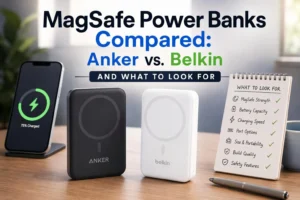
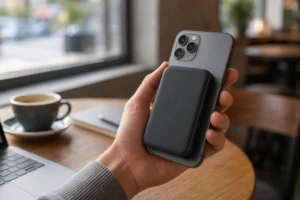
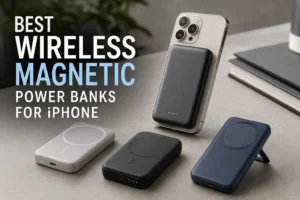
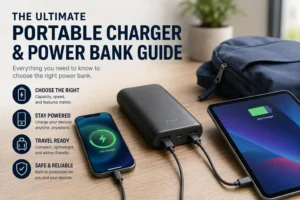

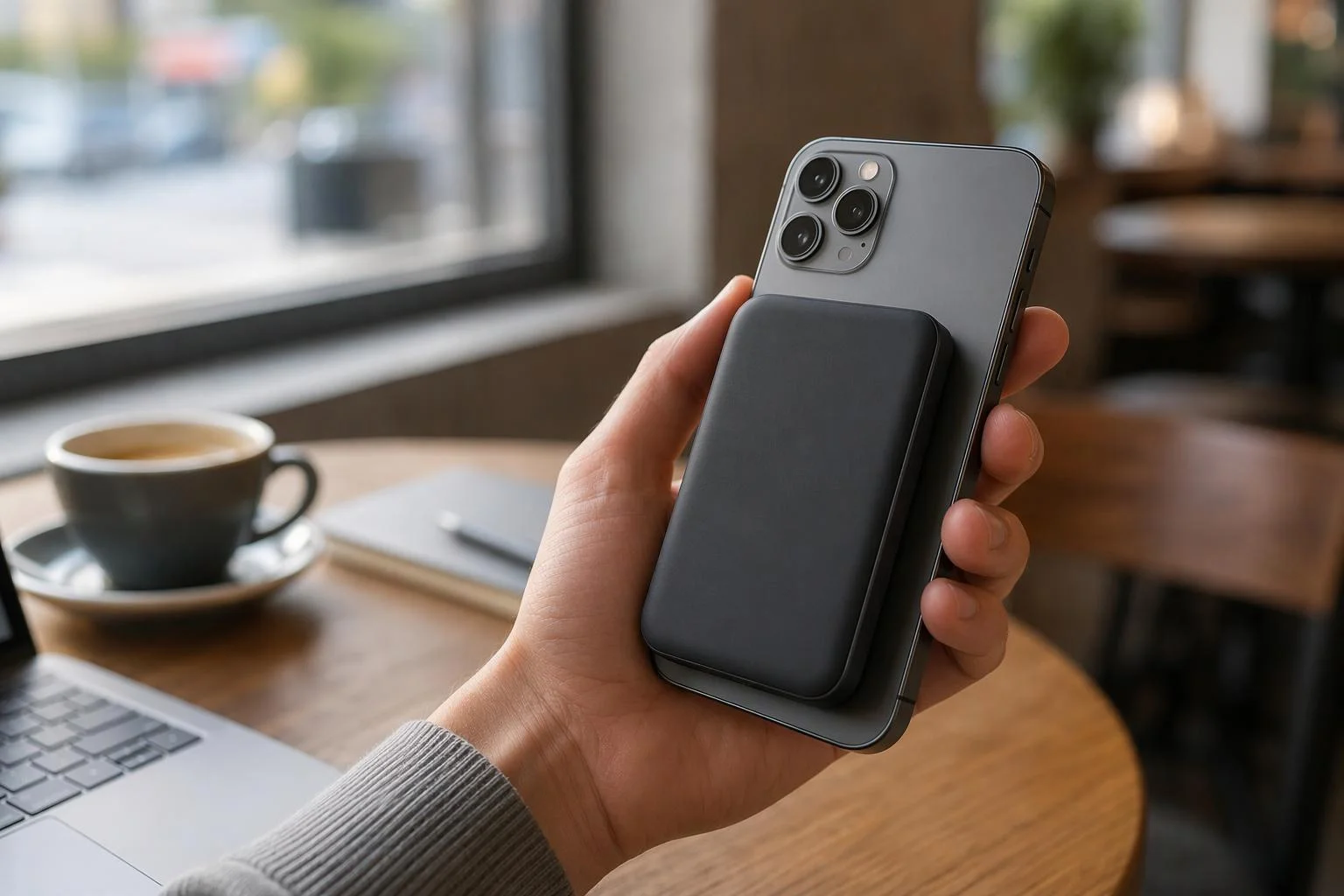
Magnetic wireless power banks are designed to make charging your phone on the go easier, without the need for a cable. When your phone battery drops to 12% and there are no available outlets nearby, a magnetic power bank can snap onto the back of your compatible phone and start charging wirelessly. A MagSafe power bank offers this kind of convenience for compatible iPhones, while a wireless battery pack can also support other devices depending on its charging standards.
But how do magnetic wireless power banks actually work, and are they worth the extra cost? The magnets hold the power bank in place, while a separate wireless charging coil transfers energy to your phone. Understanding the difference between magnetic alignment and wireless charging is important because not every phone that supports wireless charging can attach securely to a magnetic power bank.
Whether a magnetic wireless power bank is worth buying depends on your phone’s compatibility, daily charging habits, and how much you value cable-free convenience over charging speed, efficiency, and price. In this guide, we’ll explore the advantages and disadvantages, compare magnetic and traditional power banks, and explain what to look for before making a purchase.
What a Magnetic Wireless Power Bank Actually Is
Strip away the marketing and you find three parts: a lithium-ion battery, a wireless charging coil that transmits power by induction, and a ring of magnets around that coil. The battery stores energy, the coil delivers it to a matching coil inside your phone, and the magnets keep the two coils lined up. Many models also include a USB port so you can fall back to a cable when you want one.
Qi2 launched in November 2023 at 15W; Qi2 25W, branded from the Qi v2.2.1 specification, launched in July 2025 and raised certified wireless power to 25W. These are standard-level ratings, not a guarantee that a given phone or pack will reach them.
Magnets and Charging Coils Are Two Different Things
Think of a fridge magnet holding a note in the right spot on the door. The magnet does not write anything; it just keeps the paper where you put it. In a magnetic pack, the magnet ring is purely mechanical — it holds the pack against the phone. The coil is the electrical part, transferring energy inductively. As the Wireless Power Consortium puts it, the magnets carry no power at all; they exist because coil alignment is the hardest problem in wireless charging.
That distinction matters when you shop. Plenty of phones charge wirelessly but have no magnets inside, and a magnetic case can make such a phone stick to a pack without adding any wireless charging capability the phone lacks.
Which Devices Are Compatible with Magnetic Wireless Power Banks?
Two requirements have to be met at once. The phone must support wireless charging, and there must be magnets — either built in or added via a case — to hold the pack in the right place. Missing either one changes the experience completely.
iPhone. Most standard iPhone 12-generation models and everything after them — the 12, 13, 14, 15, 16 and 17 families, the iPhone Air — have a MagSafe magnet ring built in, so a magnetic pack snaps on and charges without any extra accessory. There is at least one exception: the iPhone 16e charges wirelessly over standard Qi but has no MagSafe magnets, so a magnetic pack will power it without holding itself in place. Apple added MagSafe back on the iPhone 17e, so the e-series can’t be treated as a blanket rule.
The two capabilities really are separate. A phone needs magnets to attach, and a coil to charge; MagSafe supplies both, plain Qi supplies only the coil. That’s why an iPhone that supports Qi charging isn’t automatically a MagSafe phone. Check your exact model on Apple’s MagSafe compatibility pages before you buy rather than going by the generation you own.
Android is messier, and three cases are worth separating.
Native Qi2 Magnetic Power Profile support. The phone itself carries a magnet ring certified to the Qi2 profile, so a magnetic pack aligns and attaches with no case involved. The Google Pixel 10 series is the clearest current example, and the HMD Skyline was an early one.
Qi2 Ready. The label describes a phone with Qi2 charging electronics but no magnets inside. Samsung’s Galaxy S25 series works this way: the phone charges wirelessly and speaks the Qi2 protocol, but you need a compatible magnetic case before the pack will snap into place and align. Without the case, you’re using a magnetic pack as a loose Qi pad. Samsung recommends Qi2-certified covers and MPP-compatible chargers for proper alignment and the fastest charging the phone supports.
Standard Qi only. Plenty of phones — including many older Android models — charge wirelessly over plain Qi with no magnets and no Qi2 electronics. They’ll accept power from a pack lying against them, but nothing holds the coils aligned, so placement becomes your job. Adding a magnetic case doesn’t change that: it gives the pack something to grip, not something to charge into.
Model lists move quickly and vary by region, so treat Pixel 10 and Galaxy S25 as illustrations rather than a shopping list. Verify your specific handset against the manufacturer’s own specifications or the WPC’s certified device records.
Here’s the part people get wrong: a magnetic case doesn’t grant wireless charging to a phone that never had it. The case adds magnets only. The coil is separate hardware, and if your phone lacks one, no accessory can fill that gap.
MagSafe, Qi, and Qi2 in Plain Language
MagSafe is Apple’s magnetic wireless charging system, introduced with the iPhone 12 lineup. Qi (pronounced “chee”) is the open wireless charging standard maintained by the Wireless Power Consortium, and it is what most wireless-charging phones use. Qi2 is the newer WPC standard: its Magnetic Power Profile is based on MagSafe technology Apple contributed to the consortium, and the standard also includes a non-magnetic profile for devices without magnets.
On speed, Qi2 launched in November 2023 at 15W. Qi2 25W, branded from the Qi v2.2.1 specification, launched in July 2025 and raised certified power to 25W. The practical takeaway: a Qi or Qi2 logo tells you the electronics were independently tested for safety and interoperability. The magnet tells you nothing about that.
The Honest Advantages
The benefits are real, but they are conveniences rather than performance wins.
No cable to find. For a quick top-up in a café, an airport, or a meeting room, you do not need to dig a cable out of a bag or ask whether anyone has a USB-C one. You place the pack, and it starts.
The phone stays usable. Because the pack rides on the back, you can keep texting, navigating, or taking calls while charging. With a wired pack, the cable either tethers the phone to something in your bag or dangles while you type.
Alignment is automatic. Flat charging pads require you to center the phone, and a phone that vibrates or slides can drift off the sweet spot and stop charging. A magnetic ring removes that guesswork — the pack lands in the same position every time.
It travels small. A slim magnetic pack slips into a jacket pocket or a small bag and adds little to what you already carry, which suits a day out more than a week-long trip.
Some models double as a stand or grip. A few designs fold out into a kickstand for video calls or propping the phone on a tray table, which is a genuine convenience if you watch a lot of content on the go.
Wireless Charging and Wired Charging in One Device
Most magnetic packs aren’t wireless-only. They also carry a USB-C port, and that combination is where the design earns its place in a bag. Think of it as two tools sharing one battery: a magnetic pad for the quick, no-fuss top-up, and a cable port for everything the pad can’t do well.
The wireless side handles the moments you’d never bother unspooling a cable for — a five-minute charge while you sit at a counter, a top-up on a desk between meetings. Do that somewhere the stack can breathe, though. A phone and pack pressed together generate heat, so wireless charging works best on a hard, ventilated surface rather than under fabric or inside a closed bag where the warmth has nowhere to go. It’s a real constraint on the scenario, not a footnote.
The USB-C side takes over when you need speed, when you’re charging earbuds or a second phone, or when your phone has no wireless charging at all. Two caveats: how many devices a pack can charge at once, and whether it supports pass-through charging, both depend on the specific model rather than the category. Check the listing.
That flexibility is the case for a power bank with wireless charger built in: one accessory that covers both a magnetic top-up and a cabled fast charge, so you carry a single slab instead of a wireless puck plus a wired battery. If you’re shopping for one, look for a portable wireless charger that also lists a USB-C output — the combination is what makes the design worth the extra weight.
The Real Downsides Nobody Puts on the Box
The trade-offs are equally real, and they show up after you have bought the thing: extra heat, slower charging than a cable, a thicker phone in your hand, less delivered capacity than the label suggests, a higher price, and friction with cases.
Why Wireless Charging Runs Warmer
Wireless charging passes energy across a gap between two coils, and any energy that does not make the crossing becomes heat. Alignment reduces that waste — which is the entire point of the magnets — but it does not eliminate it. Heat is hard on battery longevity, so phones and packs may slow charging when they get warm; Apple notes that if an iPhone battery gets too warm, software may limit charging above 80 percent until it cools. Keeping the pack out from under a pillow and out of a hot car is basic care, not paranoia.
The Capacity You Paid For Isn’t All Delivered
The mAh figure on the box describes the raw cells inside, which typically run at a nominal 3.7V. USB output needs 5V, so a boost converter steps the voltage up — and because energy is conserved, the milliamp-hours available at the higher voltage drop. Wireless transfer then adds further losses. Anker’s explanation of this gap describes a 10,000mAh pack delivering roughly 6,000–6,500mAh at 5V before wireless losses. Treat box capacity as a ceiling, not a promise — and the bigger the number on the label, the more of it gets lost to that arithmetic.
Why Wireless Charging Is Slower Than Wired Charging
Wireless charging is slower for reasons that are built into the physics, not the marketing. Power crosses a gap between two coils, and each hop through the air loses some energy to heat and to conversion inside both devices. A cable skips that gap entirely.
Charging protocols then cap what actually arrives. Original Qi2 certifies up to 15W, and Qi2 25W, built on the Qi v2.2.1 specification, certifies up to 25W. Those are ceilings for certified hardware, and both ends of the pair have to cooperate.
Who you buy from matters as much as the wattage on the box. Apple-certified MagSafe chargers and Qi2-certified third-party chargers can reach the phone’s full wireless speed, while unverified magnetic chargers often land considerably lower — Apple’s own guidance notes slower results with non-certified accessories, and 7.5W is a common outcome rather than a universal rule.
Plenty of other things move the number: the phone model, the charger’s certification, the protocol the two devices negotiate, and the USB-C adapter feeding the pack. Apple’s MagSafe page, for instance, lists different peak rates across iPhone generations, and only certain newer models reach 25W with the latest charger and a suitably rated adapter. A few points to hold on to: Qi2 25W is not a promise for every iPhone, and a charger’s headline wattage tells you its ceiling, not your likely speed.
Compare that with a cable. Apple’s iPhone charge speed guidance points to USB-C Power Delivery for faster wired charging, and many Android flagships go well beyond that over USB-PD. In practice, plugging in a phone that accepts 20W or more can restore more charge in twenty minutes than a 15W wireless pack manages in twice the time.
Real-world speed rarely matches the spec sheet either. Charging slows when the phone or pack gets warm, and it slows again in the last stretch above 80 percent, so most of the headline number applies only to the middle of the battery. If you need a phone topped up before you leave the house, the cable wins. The magnets win at everything else.
Does a Magnetic Power Bank Make Your Phone Bulky?
Yes, and pretending otherwise is why people return these things. How much bulk you get depends on three things: battery capacity, the materials and shell construction, and the overall design. Some 5000mAh packs are barely thicker than a phone case; some 10000mAh models are closer to a second phone in the hand. There’s no universal figure worth quoting — the spec sheet is the only honest source, and the numbers that matter are millimeters and grams, not just capacity.
The trade-off is arithmetic you can’t escape: more cell capacity means a thicker, heavier slab. A 5000mAh magnetic power bank keeps the stack closer to pocketable, while a 10000mAh magnetic power bank buys roughly double the reserve at the cost of a noticeable lump. Neither is wrong — they’re just built for different days.
One-handed use suffers most. Reaching across the screen with your thumb tends to peel the pack off center or tip the whole assembly forward, and the extra mass makes a phone more likely to slip out of a loose grip. On a desk or in a bag, none of this matters. Held up for navigation on a walk, it does.
Two smaller frictions round out the list. The price premium for magnets, a coil and a metal plate is real — expect to pay more for the same rated capacity than a wired pack costs. And cases can get in the way: thick, metal or battery cases weaken the connection, and Apple recommends removing them when wireless charging is slow or fails.
Magnetic Wireless vs. Traditional Power Banks: Side by Side
The table below compares typical designs in each category, not specific products. Individual models vary considerably, so use it to understand the pattern rather than to rank any two packs. If you want the wider picture on capacities, ports and charging standards, our portable charger and power bank guide covers the ground beyond the magnetic niche.
Consideration | Magnetic wireless power bank | Traditional wired power bank |
|---|---|---|
How it connects | Snaps to the back of a compatible phone; charges through a coil | Plugs in with a cable (USB-C, USB-A, Lightning) |
Phone compatibility | Needs a phone with built-in magnets (e.g., MagSafe iPhones) or a magnetic case plus wireless charging support | Works with essentially any phone that has a charging port |
Charging while using the phone | Pack rides on the back; phone stays usable, though the stack is bulky | Cable tethers phone to pack; both can sit in a bag |
Heat | Generally more waste heat at the phone–pack interface | Less heat at the connection point |
Wired fallback | Many include a USB port for cable charging | Is the primary method |
Bulk in pocket | Attached to the phone, so the combined stack is thicker | Separate item; can be left in a bag |
Typical cost | Usually carries a premium for magnets and wireless hardware | Generally lower for the same rated capacity |
Best for | Quick top-ups, stand-and-use scenarios, cable-free convenience | Maximum delivered capacity, charging multiple devices, budget |
Read the table as a single trade: you are paying for convenience and automatic alignment, and giving up some efficiency, some delivered capacity, and some money.
What to Look for When Buying a Magnetic Wireless Power Bank
Five things separate a pack you’ll keep using from one that ends up in a drawer. None of them require reading a spec sheet for an hour — just knowing which numbers matter and which are decoration.
Battery Capacity: 5000mAh vs. 10000mAh
These two figures cover most of the magnetic market, and the choice is mostly about how you carry your phone. A 5000mAh magnetic power bank is the everyday-carry option: typically thin enough to ride comfortably on the back, and enough for one solid top-up on a normal day out. It’s the right pick if you charge on the go a few times a week rather than living off a pack.
A 10000mAh magnetic power bank roughly doubles the reserve, which suits long travel days, conventions, and anyone who streams video or navigates for hours. The cost is bulk — you’ll feel it in a pocket, and you’ll notice it in your hand. Remember that neither number is what reaches your phone; voltage conversion and wireless losses eat into both, so treat capacity as relative rather than literal.
Wireless Charging Speed and Compatibility
Ratings like 7.5W, 15W and 25W describe the maximum a certified pair can manage, not what you’ll see every time. A 15W Qi2 pack charging an iPhone that’s warm and at 85 percent will spend most of its time well below that number.
On paper, MagSafe and Qi2 sit close together for iPhones. MagSafe is Apple’s own system, and Qi2’s Magnetic Power Profile is built on the same magnet layout Apple contributed to the Wireless Power Consortium, so a certified Qi2 pack aligns with an iPhone just as a MagSafe one does. The gap shows up with accessories that aren’t certified at all: a charger labeled “MagSafe-compatible” makes no certification promise, and Apple notes that non-certified chargers typically charge more slowly. Certification is the thing to check, not the wattage on the box — confirm the model in the WPC’s certified products database.
For Android, match the pack to what your phone actually supports. A Qi-only phone won’t gain magnetic alignment from a Qi2 pack, though it will still charge.
Size, Weight, and Thickness
The appeal of a slim power bank is simple: it fits in the pocket you already use. The lighter and thinner a pack gets, the less it feels like a commitment and the more it feels like part of the phone — and that’s the version you’ll actually carry without thinking about it. Where that line falls is personal. A pack that’s fine in a jacket pocket can feel like a brick in a jeans pocket, so compare the listed thickness and weight against a phone case you already own.
Specs are listed inconsistently across brands, so check what’s actually measured. Some listings quote thickness without the camera bump or the magnetic ring; others quote weight for the pack alone, not with a cable. Capacity, cell type, materials and shell design all shift the numbers too, which is why two 5000mAh packs from different makers can sit at noticeably different sizes.
The trade-off is exactly what you’d expect. Slim means fewer cells, which means fewer top-ups before you need an outlet yourself. If you’d rather have one thin pack that covers a commute than a heavy one that covers a weekend, pick slim and accept the shorter runway.
Safety Features and Temperature Control
A magnetic pack sits against the back of a phone while it works, so heat management matters more here than in a wired battery that lives in your bag. Four protections are worth looking for on the listing: overcharge, overcurrent, overheat, and short-circuit protection. They don’t all do the same job, and sellers sometimes use the terms loosely.
Overheat protection is a cutoff — it intervenes when a temperature threshold is crossed. Temperature monitoring is different: it reads the pack’s thermal state continuously so the system can respond earlier, and how a given product responds is up to its design. Some throttle charging output, some pause it until things cool, some simply warn you with an indicator. Plenty of packs offer overcharge and short-circuit protection without any thermal sensing at all, which is why reading the feature list beats trusting a badge.
Certification covers some of this ground — Qi and Qi2 testing covers safety and interoperability — but it doesn’t tell you which protections a specific pack includes. The practical habits still matter: buy from sellers who list the protections by name, keep the pack ventilated rather than under a pillow, and retire anything that swells, discolors, or gets hot to the touch.
Additional Features Worth Considering
Small extras often decide which pack you keep. A fold-out kickstand turns the pack into a stand for video calls and tray-table viewing. A USB-C output port adds the wired fallback that makes the whole design more useful. An LED battery indicator saves you from guessing in the middle of a trip.
Magnetic strength deserves a look too: a weak ring lets the phone shift and the coil drift out of alignment, which is the one thing the magnets exist to prevent. And if you routinely charge a watch or earbuds alongside your phone, check whether the pack offers a second output at all — wireless-only designs won’t.
Finally, the practical boxes: buy for a capacity you’ll actually use, and check airline rules before a flight. Power banks must go in carry-on, and the FAA limits lithium-ion batteries to 100Wh per battery, with up to two 101–160Wh spares allowed with airline approval. Our guide to flying with a portable charger spells out the limits in more detail.
Who Should Buy One — and Who Shouldn’t
This is judgment, not a rulebook, but it is the judgment the evidence supports.
A good fit if you:
Own a MagSafe iPhone — most models from the 12 generation onward, the 16e excepted — and want a cable-free top-up without hunting for an outlet.
Use your phone heavily while it charges — navigating, messaging, watching video.
Travel light and want one small pack for a day out rather than a week-long trip.
Value the snap-and-go experience enough to accept slower charging and a higher price.
A poor fit if you:
Need maximum delivered capacity per dollar. A wired pack gives you more for less.
Charge several devices at once. A multi-port wired pack is the practical choice.
Own a phone without wireless charging or magnets and do not want to add a case.
Mostly charge at a desk, where a cable is already within reach and costs nothing extra.
If you fall in the second group, a magnetic pack is not wrong — it is just solving a problem you do not have.
The Verdict
Magnetic wireless power banks are worth it for some people and not for others, and the deciding factor is simple: is the convenience of snap-and-go charging worth the trade-offs in heat, delivered capacity, and price?
If you own a compatible iPhone, charge on the move, and want your phone usable while it tops up, the answer is probably yes — the alignment and cable-free experience are genuinely better than a flat pad or a dangling cable. If you need the most charge per dollar, charge multiple devices, or mostly sit near an outlet, a traditional wired pack will serve you better and cost less.
Buy for the habit you actually have, not the one the product photography suggests. If you’re comparing specific models rather than deciding on the category, our roundup of the best wireless magnetic power banks for iPhone looks at how different designs handle the same trade-offs.
Frequently Asked Questions
Can it charge through a phone case?
Usually, if the case is thin and non-metallic. Thick, metal, or battery cases can block or weaken wireless charging — Apple recommends removing them if charging is slow or fails. A magnetic case can also help a phone without built-in magnets attach to the pack, though it does not add wireless charging capability the phone lacks.
Can I use the phone while it charges?
Yes. The pack rides on the back, so the phone stays usable. The combined stack is thicker and warmer than a bare phone, and heavy use may slow charging as the device heats up.
Will the magnets damage credit cards or interfere with medical devices?
Do not sandwich credit cards, security badges, passports, or key fobs between the phone and the charger — Apple warns this can damage magnetic strips or RFID chips. For implanted pacemakers or defibrillators, Apple’s medical device guidance recommends keeping a safe distance (at least 6 inches, or 12 inches when using a wireless charger) and consulting your physician and device manufacturer.
Do I need a special cable to recharge the pack itself?
Most current models recharge over USB-C, and many support pass-through charging. Check the pack’s input specification before you buy, since input wattage affects how long the pack itself takes to refill.
Can I take it on a plane?
Yes, in carry-on baggage. The FAA limits lithium-ion batteries to 100Wh per battery, with up to two 101–160Wh spares allowed with airline approval, and power banks are not permitted in checked bags. Many airlines impose stricter limits, so confirm with your carrier.
Is it safe to leave attached overnight?
Charging overnight is common, but heat is the concern. Keep the pack ventilated rather than under a pillow, and stop using any pack that swells, gets excessively hot, or shows damage.
Are MagSafe power banks worth buying?
Whether one makes sense comes down to one question: do you ever charge away from an outlet? If you do, the magnets are worth the premium. If your charging happens at a desk, they add cost without adding anything.
Is a 5000mAh or 10000mAh magnetic power bank better?
Neither. Pick the capacity that matches your longest typical day away from power, then check the weight and thickness that capacity costs you in that specific model.
Do magnetic power banks charge phones faster than regular wireless chargers?
No. Alignment reduces waste heat, but the power ceiling comes from the standard and the phone. A certified magnetic pack and a certified flat pad on the same standard should land in the same range, provided the charger and adapter are rated for it.