
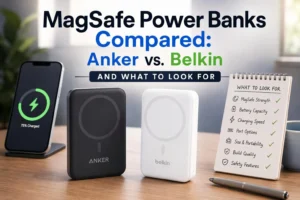


A note on transparency: this comparison is published by JOYROOM, a brand that sells magnetic power banks. The Anker and Belkin analysis relies on published specifications and official documentation, every manufacturer claim is labeled as a claim, and we say plainly where a competitor does something better than our own products. No unit in this article was bought or tested for this page.
Anker MagGo vs. Belkin BoostCharge Pro: Brand and Product Overview
Both brands sell magnetic power banks that snap onto the back of a compatible iPhone, but they build their lineups differently. Anker spreads the MagGo name across a wide range of shapes and capacities, from wallet-sized 5K packs to 10K models with stands and displays. Belkin’s BoostCharge Pro family is narrower, built around 5K and 10K magnetic packs with Qi2, kickstands, and in some cases an integrated cable. The sections below introduce each series before the model-by-model comparison.
Anker MagGo Power Bank Series
MagGo is Anker’s magnetic power bank line. The models share a ring of magnets that aligns the charging coil with a MagSafe-compatible iPhone, and the newer entries use Qi2, the Wireless Power Consortium standard that adds a magnetic power profile to the older Qi specification. Anker’s own Qi2 explainer describes Qi2 as offering up to 15W where standard Qi delivered 7.5W.
Within the series the differences matter more than the name. Capacities run from 5,000mAh to 10,000mAh, and the feature set changes by model: some are built around a slim body, others add a foldable stand, a smart display, or higher-wattage USB-C output. Not every MagGo product carries every feature, so check the individual model rather than the series label.
Belkin BoostCharge Pro Magnetic Power Bank Series
Belkin’s magnetic lineup spans several generations, and the model numbers are the reliable way to tell them apart. The older BPD004 is a 5,000mAh magnetic pack with a pop-up stand. The Qi2 generation, documented in Belkin’s BPD006/BPD007/BPD008 support article, covers 5,000mAh, 8,000mAh, and 10,000mAh capacities with an integrated kickstand, a USB-C port, and up to 15W Qi2 wireless charging.
Belkin also sells magnetic packs with different priorities: the BBA018 Slim Magnetic 10K, built around a slim body with 30W USB-C output, and the BPD009, a 10K magnetic model with an integrated cable. Because features and port limits vary by SKU, treat each Belkin model as its own product.
How We Compared These Power Banks
Before the model-by-model breakdown, it’s fair to explain what kind of comparison this is. Everything below is built from publicly available sources: Anker’s product pages, Belkin’s product pages and support articles, the Wireless Power Consortium’s published standards, and Apple’s charging documentation. No unit in this article was physically tested for this page, so when a number appears, it is a manufacturer’s published figure, and when a judgment appears, it is an editorial reading of those figures.
That distinction matters more than it usually does in tech writing, because a spec sheet can be read cleanly or sloppily. Three kinds of statement appear here:
Manufacturer specifications are the published values for a specific model: capacity in mAh, wired and wireless wattage, dimensions, weight, port count. These are quoted as-is and tied to a model number, because series names hide real differences.
Manufacturer claims are performance statements the brand makes on its own behalf, such as “up to 35 hours of additional video playback” or “an iPhone 15 to 60% in about 30 minutes.” They’re useful, but they’re marketing measurements made under conditions the brand chooses, so this article treats them as claims rather than results.
Editorial analysis is our interpretation: what a 12W port means in practice, why a 0.7-inch body behaves differently in a jacket pocket, why a 10,000mAh label doesn’t mean ten thousand milliamp-hours reach your phone. Where we explain a trade-off, we show the reasoning so you can check it against the source yourself.
What you won’t find is invented testing. No temperature readings, no measured charge curves, no “in our week of testing” narrative, because there is no test bench behind this page. If you want independent measurement, look for reviews that publish their methodology alongside their numbers.
Anker MagGo Power Bank Models Compared
The MagGo models most often compared are the two 10K versions, which share a capacity but differ in weight, thickness, display, and stand. The 5K Nano sits below them on capacity and on physical size.
Anker MagGo Power Bank (10K, Slim)
The Anker MagGo Power Bank (10K, Slim), model A1664, carries a 10,000mAh battery in a body measuring 4.09 × 2.78 × 0.58 inches and weighing 7.62 oz (215.9 g). Wireless output is listed at 5W, 7.5W, and 15W, and the USB-C port supports up to 30W output and 30W input. Anker describes the Qi2 module as delivering a consistent 15W to MagSafe-compatible iPhones, including through magnetic cases.
This is the pick for someone who wants a 10K pack that stays flat against the phone and can also fast-charge a second device over USB-C. It has no built-in stand or display.
Anker MagGo Power Bank (10K)
The Anker MagGo Power Bank (10K), model A1654, is the same capacity in a much chunkier body: 4.21 × 2.71 × 0.87 inches and 250 g (8.82 oz), against 215.9 g for the Slim. It is Qi2 certified, adds an informative smart display and a built-in foldable stand, and Anker lists 27W USB-C fast charging, enough to take an iPhone 15 to 60% in about 30 minutes.
The trade-off against the Slim is starker than the dimensions imply. You gain the stand and the display, but you’re carrying about 34 g more and roughly 0.29 inches of extra depth, which is the difference between a pack you leave attached during a call and one you take off first. Choose it if you watch video or take calls while charging; choose the Slim if pocketability comes first.
Other Anker Magnetic Power Bank Options
Below the 10K models sits the Anker Nano Power Bank (5K, MagGo, Slim), model A1665. It holds 5,000mAh in a 0.34-inch body weighing 4.3 oz (122 g), with a single USB-C port rated at 20W output (5V⎓3A / 9V⎓2.22A) and wireless output of 5W, 7.5W, and 15W. It is the lightest way into the MagGo family, and it carries the same 15W Qi2 ceiling as the 10K models.
Read the port numbers carefully on this one. A 20W figure on a 5,000mAh pack is a peak, not a sustained rate, so it will top up a phone or earbuds briskly and a tablet slowly. That’s normal for the capacity class, not a flaw.
Older Anker magnetic packs, such as the PowerCore Magnetic 5K, predate Qi2 and should not be assumed to match current 15W behavior. Separately, the PowerCore Slim 10000 is a conventional wired power bank with no magnetic attachment at all; it belongs in a different category from every MagGo model here.
Belkin BoostCharge Pro Magnetic Power Banks Compared
Belkin’s Qi2 magnetic packs are documented together, which makes the differences between them easy to state precisely. The 5K and 10K versions share a design language but not the same ports or output limits.
Belkin BoostCharge Pro Magnetic Power Bank 5K
The Belkin BoostCharge Pro Magnetic Power Bank 5K, model BPD006, is a 5,000mAh Qi2 pack with an integrated kickstand and one USB-C PD in/out port. Dimensions are 3.74 × 2.56 × 0.52 inches. Belkin’s support documentation, published in its BPD006/BPD007/BPD008 FAQ, lists 15W Qi2 wireless output for an iPhone when the pack charges one device, and drops to 7.5W wireless when a second device shares the load — in which case the USB-C port is capped at 5W. The port accepts up to 20W input but outputs 12W, a limit Belkin attributes to battery-cell and thermal constraints.
That last footnote is the one buyers miss. The 12W wired figure is a throttle, not a design choice, and it’s why the BPD006 is a good bedside or desk pack rather than a travel workhorse. At 0.52 inches it is also the flattest stand-equipped pack in this comparison, which is the trade Belkin made: a viewing stand without giving up pocketability, in exchange for modest cable output.
Belkin BoostCharge Pro Magnetic Power Bank 10K
The Belkin BoostCharge Pro Magnetic Power Bank 10K, model BPD008, doubles the capacity, adds a second USB-C port, and measures 4.21 × 2.68 × 0.7 inches. This is where careless spec reading does the most damage, so it’s worth stating Belkin’s numbers exactly. With the phone on the pad and nothing else connected, the pack delivers 15W Qi2 wirelessly. A single USB-C port reaches up to 20W when it’s the only thing in use. With both USB-C ports connected, they share a combined 15W. Add a cabled device alongside the phone and wireless drops to 7.5W with up to 10W over USB-C. Belkin separately caps the ports at 12W in battery-powered operation, citing battery-cell and thermal limits.
Two conclusions follow. First, the BPD008’s headline wired figure is 20W, not 12W — 12W is a documented restriction, and treating it as the port rating undersells the product. Second, three devices at once is a capability, not a speed guarantee: every additional device reallocates a fixed output budget rather than adding a new one.
Belkin also quotes up to 35 hours of additional video playback, a figure calculated against iPhone reference models rather than a guaranteed charge count.
Belkin Slim Magnetic Power Bank 10K with Qi2
The Belkin BoostCharge Slim Magnetic Power Bank 10K with Qi2, model BBA018, sits in a different place in Belkin’s catalog from the BoostCharge Pro pair: it trades the kickstand for a slimmer shell and a much stronger wired side. Belkin lists 10,000mAh, up to 15W Qi2 wireless charging, up to 30W over USB-C, two USB-C ports, dimensions of 4.0 × 2.8 × 0.6 inches, weight of roughly 0.3 lb, and a 38.7Wh energy rating.
Put next to the BPD008 the arithmetic becomes useful. Both hold the same energy and both top out at 15W wirelessly, but the BBA018 is 0.1 inches thinner and offers 30W over a cable instead of 20W. What it gives up is the stand. If your wired device is a tablet or a small laptop, that 30W matters far more than a viewing angle; if you mostly charge a phone, the difference is invisible.
Belkin Magnetic Power Bank with Integrated Cable
The BPD009 BoostCharge Pro Magnetic Charging Power Bank 10K + Cable is a different product from the BPD008 despite the shared capacity. Its distinguishing feature is a built-in cable, so you can charge a device over USB-C without carrying a separate cord, while the magnetic side handles wireless top-ups.
That convenience comes with a trade-off. An integrated cable adds bulk and fixes the cable’s length, and it does not change the wireless behavior: the magnetic pad still charges at the Qi2 rates Belkin specifies for that model. If you routinely forget cables, it solves a real problem; if you already carry one, a standard magnetic model is simpler.
Anker MagGo vs. Belkin BoostCharge Pro: Key Differences
The table below compares specific models rather than brands. Specifications come from each manufacturer’s product page or support documentation; where a figure is not published, the cell says so rather than guessing.
Product model | Battery capacity | Wireless standard and output | Wired charging | Built-in stand | Integrated cable | Design and portability | Best-use scenario |
|---|---|---|---|---|---|---|---|
Anker MagGo Power Bank (10K, Slim), A1664 | 10,000mAh | Qi2, up to 15W | USB-C up to 30W output; 30W input | No | No | 4.09 × 2.78 × 0.58 in; 215.9 g | Slim 10K for daily carry |
Anker MagGo Power Bank (10K), A1654 | 10,000mAh | Qi2 certified, up to 15W | USB-C 27W fast charging | Yes, foldable | No | 4.21 × 2.71 × 0.87 in; 250 g | Stand and display for video or calls |
Anker Nano Power Bank (5K, MagGo, Slim), A1665 | 5,000mAh | Qi2, 5W/7.5W/15W wireless | USB-C up to 20W (5V⎓3A / 9V⎓2.22A) | No | No | 0.34 in thick; 122 g | Lightweight pocket top-up |
Belkin BoostCharge Pro Magnetic Power Bank 5K, BPD006 | 5,000mAh | Qi2, up to 15W alone; 7.5W with a second device | USB-C up to 20W input, 12W output | Yes, kickstand | No | 3.74 × 2.56 × 0.52 in | Compact 5K with a stand |
Belkin BoostCharge Pro Magnetic Power Bank 10K, BPD008 | 10,000mAh | Qi2, up to 15W alone; 7.5W with a cabled device | Two USB-C ports; up to 20W each alone, 15W shared when both used, 12W cap on battery | Yes, kickstand | No | 4.21 × 2.68 × 0.7 in | Multi-device charging with a stand |
Belkin BoostCharge Slim Magnetic Power Bank 10K with Qi2, BBA018 | 10,000mAh | Qi2, up to 15W | Two USB-C ports, up to 30W | No | No | 4.0 × 2.8 × 0.6 in; ~0.3 lb; 38.7Wh | Slim 10K with fast wired output |
Belkin BoostCharge Pro Magnetic Charging Power Bank 10K + Cable, BPD009 | 10,000mAh | Magnetic wireless; output not listed | USB-C via integrated cable; output not listed | Not listed | Yes, integrated cable | 10K magnetic pack; dimensions not listed | Cable-free wired charging plus magnetic top-ups |
Capacity and Portability
Laid out side by side, the six models show a cleaner pattern than any single brand suggests. The Anker Nano 5K weighs 122 g at 0.34 inches; the 10K Slim doubles the cells to 215.9 g at 0.58 inches; the A1654 adds 34 g more for a stand and a display; Belkin’s 5K BPD006 is 0.52 inches; the BPD008 reaches 0.7 inches; and the BBA018 does 10K in 0.6 inches. Two 5K packs and one 10K pack hold the same energy, but only one of them fits in a front pocket, which is the decision most people are actually making.
Here’s the part spec sheets hide: weight scales faster than you expect once a stand is involved. Ten thousand milliamp-hours costs roughly 200 g across the models here, which puts the class right at the edge of what a phone plus pack feels like in one hand. The 5K class is where the accessory effectively disappears, and for most people that’s a bigger quality-of-life difference than 30W versus 20W on a port they’ll seldom use.
Wireless Charging Speed and Qi2 Compatibility
Every model here stops at 15W wirelessly, and that uniformity is the most useful finding in this comparison. Anker and Belkin both list up to 15W Qi2, and both step down when a second device joins: the BPD006 to 7.5W, the BPD008 to 7.5W when something is plugged in.
So wireless speed isn’t a differentiator in this set — the difference lives in how much the pack keeps when you connect something else. Apple lists 15W for iPhone 15 and earlier under MagSafe, which means these packs top out exactly at what those phones accept. Newer iPhones with a 25W ceiling will still receive 15W here; the pack is the limit, not the handset. That’s a reasonable place to sit for 2026, since 25W pads need a certified Qi2 25W pack and a matching phone, and the section below explains what you actually gain.
Design, Stand, and Everyday Convenience
Both brands split their lines between flat snap-on models and stand models, and each treats the trade differently. Anker’s stand approach on the A1654 costs 0.29 inches over the Slim, plus 34 g and a fold-out mechanism, but the stand and the display work together: you prop the phone up and glance at the remaining charge. Belkin’s BPD006 and BPD008 fold a kickstand into bodies that stay closer to flat, which suits people who want the angle without the bulk. Neither brand puts a stand on its slimmest 10K.
A kickstand is genuinely useful in three places — video calls at a desk, watching something on a kitchen counter, and using the phone as a bedside clock while it charges. It’s dead weight if the pack lives in your pocket all day. That’s the whole test, and it’s more reliable than any feature comparison.
Price and Overall Value
List prices move with promotions, regional pricing, and bundle deals, so we’re not quoting figures here that would be stale within a week. Open both manufacturers’ product pages on the day you buy and compare the configuration you actually want. Value depends less on the sticker than on what the extra money buys: capacity, a stand, a second port, faster USB-C output, and the warranty term.
What to Look for When Choosing a MagSafe Power Bank
The specification mechanics — why capacity shrinks in transit, how standards differ, what thickness costs you — are covered in the explanation section below. This part is about decisions. Five factors decide whether a magnetic pack earns a permanent place in your bag, and none of them is a brand logo.
Start From Your Phone, Not the Pack
Your handset sets the ceiling before any product does. Apple’s MagSafe charging guidance lists 15W for iPhone 15 and earlier under MagSafe, with iPhone 12 mini and 13 mini capped lower at 12W. The higher 25W tier applies only to certain recent models paired with a matching Qi2 25W or MagSafe charger. Buying a 25W-capable pack for an iPhone 15 doesn’t unlock 25W; it just spends the premium on a feature you can’t reach.
So check two things in five minutes: which wireless standard your phone supports, and what its manufacturer lists as the maximum wireless intake. Everything else in a power bank’s marketing should be read against that ceiling.
Match Capacity to Your Worst Day, Not Your Average One
Most people overbuy capacity. If your phone typically ends a weekday at 30%, a 5K pack covers the gap comfortably and costs you 60-80 grams less. If you travel, shoot video, or navigate on long drives, the calculus flips to 10K.
The practical test isn’t the percentage but the calendar: how many days per month do you leave home without a chance to plug in for two hours? A handful of days justifies a slim 5K. Constant movement justifies carrying the weight. And remember that a pack’s advertised capacity is a cell rating, so treat a 10K pack as “one meaningful recharge” rather than “10,000mAh of phone battery.”
Judge Charging Compatibility on the Cable Side Too
Wireless wattage gets the headlines, but the USB-C port is where multi-device users spend their time. Check the port’s output in watts, whether it’s per-port or shared, and what input it accepts. A 5,000mAh pack with 12W output will charge earbuds and a phone overnight fine; it will feel slow on a tablet or a laptop.
Look for cables to be rated for the wattage you plan to use — a 30W port with a 3A cable still delivers less than 30W. And if the pack advertises passthrough charging, check whether wireless output continues while the pack is plugged in, because not every model does.
Judge Design by the Ten Minutes You Spend Holding It
A magnetic pack is used while attached to your phone, in your hand, during a call. Two numbers predict how that feels: weight and thickness. Anything above roughly 200g on the back of a phone changes how you grip it, and 0.7 inches of extra depth pushes the camera module into awkward contact with tables and pockets.
Magnet strength is harder to verify from a spec sheet, but the stated grip in newtons is a fair proxy if the manufacturer publishes it — 10N holds a phone on a bumpy commute, while a stronger ring matters more if you attach accessories. If a number isn’t listed, the case compatibility guidance and user reports are your next best evidence.
Read Safety Documentation as a Formal Record
A certification mark is a record that a third party examined a specific model, not a slogan. Qi2 certification can be checked in the WPC’s public product database, and CE, FCC, RoHS, and UN38.3 cover different things: market access, electromagnetic compliance, restricted materials, and air transport respectively. A watt-hour rating under 100Wh also clears typical airline carry-on limits.
Warranty terms are the other half of that record, and they differ noticeably: Anker covers MagGo power banks for 24 months, while Belkin pairs a 2-year limited warranty on its BoostCharge Pro packs with a Connected Equipment Warranty of up to $2,500. Both only apply when you buy from an authorized seller, which is why grey-market discounts on battery products are rarely a bargain.
Put these five together and the brand question shrinks to its proper size. Reputation is a useful shortcut for build quality and after-sales support, and it’s earned. But a pack from a less famous label that publishes full port specifications, names its certifications, and states its cell chemistry can serve you better than a flagship model whose spec sheet stops at the headline wattage. That isn’t a case for buying unknown brands; it’s a case for reading the right evidence before you decide which brand to trust. The logo tells you who is willing to stand behind the product. The five factors tell you whether the product suits you, and they’re the ones you can actually verify before spending money.
What the Specifications Really Mean
Specifications are promises measured under conditions you’ll never exactly reproduce. The explanations below cover the six that cause the most confusion, so the numbers in the table above stop being trivia and start being useful.
A 10,000mAh Pack Does Not Deliver 10,000mAh
Capacity is measured at the cell, at cell voltage, with the pack at a comfortable temperature. What reaches your phone is measured at a different voltage after conversion losses and, if you’re charging wirelessly, after the coil pair radiates some of that energy as heat. Anker’s documentation for the Nano 5K MagGo puts delivery at roughly 2,750–3,500mAh from a 5,000mAh cell, a 30%–45% gap. That’s a manufacturer estimate for one model, not a standard, but the direction of the loss is universal.
Belkin says the same thing in plainer language on its Qi2 power bank support page: the pack “contains 10,000 mAh internal battery” while the amount delivered to a device is less. Wired charging is the more efficient path, which is why the same pack usually gives noticeably more total charges over USB-C than over the coil.
Some listings also show a rated capacity, measured at 5V output. It’s always lower than the headline cell capacity, and when both numbers appear, the smaller one is the more honest estimate of usable energy.
The practical takeaway: plan on a 10K pack topping up a modern phone roughly once, not two or three times, and treat any claim of “three full charges” as arithmetic done on cell capacity rather than delivered energy.
Qi, MagSafe, and Qi2 Are Three Different Things
Qi is the Wireless Power Consortium’s baseline standard for inductive charging, and it doesn’t involve magnets. MagSafe is Apple’s implementation, adding a ring of magnets for alignment and its own handshake with iPhones. Qi2, launched by the WPC in late 2023, takes the alignment idea and standardizes it as the Magnetic Power Profile, which is why a Qi2 pack snaps into place like a MagSafe one and why it can charge a compatible iPhone at up to 15W wirelessly.
The confusion usually starts with labels. “MagSafe compatible” in a listing often means the pack has a magnet ring strong enough to hold onto an iPhone — useful, but not a statement about certification or charging rate. “Qi2 certified” means the product passed the WPC’s test program, including alignment and power-transfer behavior, and you can verify it in the WPC’s certified product database. Both can be true at once; only one is checkable by a third party.
What 15W Qi2 and Qi2 25W Actually Change
The gap between 15W and 25W is bigger than the numbers suggest, and smaller than the marketing implies. The WPC introduced Qi2 25W in July 2025 as Qi specification v2.2.1, describing it as offering nearly 70% more power than the original Qi2. On a supported phone, that translates into a substantially faster top-up — roughly half a battery in around half an hour under favorable conditions.
Here’s the catch: the pack is only half of the pair. A 25W pack charging a 15W-limited phone behaves like a 15W pack, and the phone will also throttle as it heats. For an iPhone 15 or earlier, a Qi2 25W pack is future-proofing rather than a speed upgrade. For an iPhone 16 or later that lists a 25W ceiling, the extra tier is real, but only with a certified pack that states it explicitly.
Don’t confuse Qi2 25W with “25W wireless” claims attached to non-certified products. A charge rate printed on a box isn’t the same as a wattage verified against a published standard.
Heat Is Where Efficiency Goes, and Where Speed Stops
Every conversion step loses energy as heat: cell voltage to 5V, 5V to the coil’s drive frequency, coil to coil, and then inside the phone. Alignment reduces the losses because misaligned coils couple poorly. Speed increases them, because pushing 15W or 25W through a thin pad generates more heat than pushing 7.5W.
This is why magnetic packs slow down mid-charge. The pack’s thermal management and the phone’s own thermal limits both intervene, and a case adds insulation that makes the problem worse. A pack that hits a high peak for a short burst and then settles back is behaving normally, not failing. It also explains why a thin body and a high sustained wattage pull in opposite directions: less material means less heat spreading, and heat that can’t spread gets managed by cutting power.
Thickness and Weight Are Paid For in Capacity and Cooling
The trade-off is arithmetic. The Belkin BPD008 packs 10,000mAh into 0.7 inches, the BBA018 does it in 0.6 inches, and Anker’s 10K Slim reaches 0.58 inches — a 0.12-inch spread across three products with identical capacity. The 5K Nano manages 0.34 inches with half the cells. At constant capacity, a thinner body means denser cells and less room for heat spreading; at constant thickness, more capacity means more mass. You can choose two of three: thin, light, high-capacity.
That’s why the 5K class exists. A 122 g, 0.34-inch pack disappears into a pocket and asks nothing of you; a 216 g, 0.58-inch pack is a deliberate carry. If a pack claims both a very slim body and unusually high capacity, read the fine print on cell type and rated capacity before believing the combination.
Magnetic Alignment and Case Compatibility
Alignment isn’t a convenience feature; it’s an efficiency feature. A magnet ring puts the coil centers within a few millimeters of each other, which cuts the losses that a misaligned Qi pad would incur. That’s also why Qi2 packs warm up less than the free-positioned Qi pads they replace, given the same wattage.
Cases sit between the coils and change the behavior. Thin magnetic cases generally pass the field through with little loss, while thick, metal-backed, or heavily reinforced cases can weaken the grip and reduce charging rate. MagSafe-compatible cases include their own magnet array, which is worth checking: without one, the pack still charges but holds less securely. Also check that the pack doesn’t sit high enough to block the camera module, since some phones have a lens cluster close to the ring.
Multi-Device Charging Divides the Same Pool
A power bank has one battery and a fixed maximum output, so connecting a second device doesn’t create a second supply. Belkin publishes that arithmetic in unusual detail on the BPD006/BPD007/BPD008 FAQ, which is worth reading as a worked example: on the BPD006, one device gets 15W wirelessly or 12W over USB-C; two devices get 7.5W wireless plus 5W over the cable. On the BPD008, both USB-C ports share a combined 15W, and connecting anything to the cable pulls wireless down to 7.5W.
The pattern generalizes. Manufacturers handle the split differently — some cap per port, some share dynamically, some list only a total — but the pool is always finite. Read the footnote rather than the headline number, and if you plan to charge a phone and earbuds together, expect both to be slower than the standalone figure suggests. That’s also why “three devices at once” should be read as a convenience claim, not a performance one.
Which Magnetic Power Bank Is Right for You?
Buying guides usually dissolve into a list of products. This one is organized by the five situations that actually drive a purchase, with the reasoning attached so you can swap in an equivalent from any brand. Where two models qualify, the choice comes down to a single measurable difference, and that difference is named.
Best for Slim Everyday Carry
The 10K slim class is the most useful compromise for people who commute and forget to charge. The Anker MagGo 10K Slim (A1664) is the reference point here: 10,000mAh, 15W Qi2 wireless, 30W USB-C, and 0.58 inches thick at 215.9g. The 30W port matters because it lets the same pack refill quickly from a laptop charger overnight, so it’s ready by morning.
Belkin’s Slim Magnetic 10K with Qi2 (BBA018) is the direct alternative, and it’s arguably the better fit on paper: 0.6 inches instead of 0.58, the same 10,000mAh and 15W Qi2, but 30W over USB-C and a second port for earbuds or a watch. Anker counters with a 30W input, which matters if you want the pack itself refilled fast overnight. Pick the Belkin if you carry two devices; pick the Anker if you care most about recharge time.
Best for Higher Battery Capacity
Ten thousand milliamp-hours is the practical ceiling for a pack you’d attach to a phone, which makes it the “high capacity” answer by default. Three models push that class further in different directions. The Belkin BPD008 pairs 10K with a second USB-C port, so the pack covers a phone wirelessly and two smaller devices over cable — accepting that the wireless pad drops to 7.5W once something is plugged in. The Belkin BBA018 keeps the second port and pushes wired output to 30W in a slimmer body, giving up the stand. The Anker MagGo 10K (A1654) chooses display and stand over port count, which suits a single-device traveler.
The reasoning is simply what you need on the far side of the trip: more ports for more devices, more watts for a tablet, or more information and hands-free viewing for one. None of these options changes how much energy reaches your phone wirelessly, because all three are 10K cells with a 15W Qi2 ceiling.
Best for Hands-Free Viewing
A stand earns its keep during video calls, recipes, and long flights. The Anker MagGo 10K (A1654) uses a foldable stand plus a smart display, at the cost of a 0.87-inch body — noticeably bulkier than the Slim. Belkin’s kickstand approach on the BPD006 and BPD008 achieves the same hands-free angle in a flatter package, with the BPD006 at 0.52 inches being the slimmest stand-equipped option in this comparison.
The distinction worth understanding: a kickstand that props the phone at one angle suits passive viewing, while a rotating or ring-style grip allows portrait and landscape plus one-handed holding. If you mostly watch, either works. If you film or scroll while charging, the rotating design is the more flexible of the two.
Best for Multi-Device Charging
Belkin’s BPD008 is the clear pick for a multi-device day: two USB-C ports plus a wireless pad, so three devices can charge without a separate hub. Its ceiling is worth stating plainly, though. With both USB-C ports in use they share 15W, and adding a cabled device cuts wireless to 7.5W with up to 10W over the cable. Nothing here is built to drive a tablet at speed; the port count is about coverage, not throughput.
If the wired device matters more than the count, two options beat it on watts. The Belkin BBA018 offers 30W over USB-C with a second port for smaller devices, and the Anker MagGo 10K Slim does 30W through a single port. Choose per device rather than per port number.
Best for Lightweight Portability
Nothing in this comparison beats the Anker Nano 5K MagGo (A1665) on carry-ability: 122g and 0.34 inches, with 15W wireless and a 20W USB-C port. It’s the pack you forget you’re carrying, which is the only reason a power bank ever gets used.
Belkin’s BPD006 sits at 0.52 inches and adds a kickstand for the same 5,000mAh, which is a fair trade only if the stand is something you’d use. For pure portability, thinner wins, and the 5K class is where thin actually exists.
How JOYROOM Approaches Magnetic Wireless Charging
This article is published by JOYROOM, so it’s only honest to explain the design thinking behind our own magnetic packs in the same terms we just used for Anker and Belkin — specifications, trade-offs, and what each choice costs a user. No claim below depends on beating a competitor; each one is a decision about where to spend millimeters or watts.
The first decision is lineup structure. Rather than stretching one body across every capacity, our magnetic range is split by what people actually carry. The JR-PBM08 is the pocket option: 5,000mAh (19.25Wh) and a rated capacity of 3,000mAh at 5V, in a 9.2mm body at 120g, with a 20W USB-C port and a two-year warranty. The JR-W050 steps up to 10,000mAh (38.5Wh, 6,000mAh rated at 5V), 15W wireless, a 20W USB-C port, and a built-in ring holder that doubles as a kickstand. Thin and high-capacity remain a genuine trade-off in our range too, and we’d rather state it than blur it.
The second is magnetic hold. We publish grip in newtons rather than describing magnets as “strong”: the JR-PBM08 lists 10N, which holds a phone steady through normal movement while still detaching with a deliberate twist, and the JR-W050 uses an N52H neodymium assembly for a firmer hold. Our Qi2.2 model goes a step further at 11N. That’s a specification you can compare, which is the point.
The third is charging ceilings, and this is where we’ve had to be honest about a gap. Most of our magnetic models are rated to 15W wirelessly — the ceiling an iPhone 15 or earlier can actually accept. The JR-W020 Pro takes the newer route: 10,000mAh, Qi2.2-certified magnetic charging at up to 25W, an 11N hold, and a 45W USB-C port in a 196g body. That combination is the one place our lineup matches the fastest tier this article describes. It’s also a heavier pack than the 10K models above from Anker and Belkin, which matters if you plan to leave it attached during a call.
The fourth is thermal and electrical management. Wireless charging loses energy as heat and those losses grow with wattage, so our magnetic models list protection against overvoltage, overcurrent, short circuits, and overheating, use PC+ABS fireproof housings around the cells, and carry the market certifications published on each product page — CE, RoHS, and UN38.3 on the JR-W020 Pro, for example. That’s the same documentation trail this article recommends you request from any brand, and we’d rather you check it than take our word for it.
Finally, everyday details that don’t fit on a spec table: LED indicators that show remaining charge, bi-directional USB-C so one port refills the pack and tops up a device, and ring grips that hold the phone at a viewing angle.
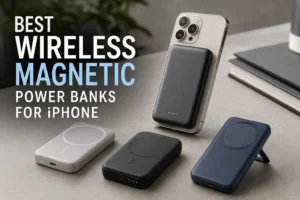
Where competitors are simply ahead, it’s worth saying so plainly. The Anker MagGo 10K Slim’s 30W input refills faster than anything in our magnetic range. The Belkin BPD008 and BBA018 both offer two USB-C ports, which no JOYROOM magnetic model does — the JR-W050 splits a shared 15W across three devices instead. And the slim 10K class from both brands stays lighter than our JR-W020 Pro. If any of those is your priority, buy theirs. What we aim to keep consistent is the match between the pack and the phone it charges, and a published specification you can check before you pay. Our guide to the best wireless magnetic power banks for iPhone sorts the lineup by use case if you want to compare model by model.
Final Thoughts: Choosing the Right MagSafe Power Bank
Anker and Belkin have settled on the same architecture: a magnetic ring, Qi2 wireless charging, a USB-C port, and a stand on the models meant for video. What separates them isn’t the architecture but where each spends its thickness and its watts. Anker puts the money into slim profiles and fast wired output — 0.58 inches and 30W in each direction on the 10K Slim — and accepts a 0.87-inch, 250 g body on the stand model. Belkin spreads its bets wider: a flatter stand-equipped pair, a slim 10K with the fastest cable output of the group in the BBA018, and a 2-year warranty plus a $2,500 connected equipment guarantee.
Neither approach wins. That’s the honest conclusion, and it’s also the most useful one: the right question isn’t which brand is better but which trade-off fits the next twelve months of your phone use. Someone who ends most days at 30% is buying a 120g accessory, not a product line. Someone who flies twice a month is buying a stand and a port.
Three checks settle most purchases. Confirm your phone’s wireless ceiling before paying for a higher wattage. Confirm the pack is Qi2-certified in the WPC database rather than merely magnet-ringed. Then decide whether the stand or the second port is worth the thickness it adds, because that’s the one trade-off you’ll feel every single day. Those checks work the same way on our own products, which is why they come first in this article rather than last.
Magnetic power bank shopping rewards patience with spec sheets and a little skepticism about logos. Capacity, alignment, thermal headroom, and port behavior tell you what a pack will do. Brand reputation tells you who to call if it doesn’t.